
The Role of Effort Estimation in Project Management
Every project starts with planning. Effort estimation helps the team understand the amount of work involved, allocate resources and set realistic project timelines. The team then assigns tasks and agrees on deadlines. But any estimate is only a prediction based on what is known about the project at that point.
In practice, requirements change, new tasks emerge and some work turns out to be more complex than expected. As a result, the initial estimate may differ significantly from the actual time spent.
To understand whether a project is progressing as planned, it is important to estimate the workload before work begins and track actual time spent throughout the project.
Why Project Estimation Matters
An estimate helps answer several key questions before work starts:
— how much effort the project is likely to require;
— which specialists need to be involved;
— whether the proposed deadlines are realistic;
— whether the available resources are sufficient.
The more accurate the initial estimate, the easier it is to plan team capacity, align expectations with the client and reduce the risk of missed deadlines. However, even a well-prepared estimate cannot guarantee that a project will follow the original plan exactly.
Why Estimation Alone Is Not Enough
Once a project is underway, it is important to know both how much time was expected to be spent and how much has actually been used. Without tracking actual time, a manager may only discover that a project has gone over budget in terms of effort once the work is complete, when there is little opportunity to correct course.
Comparing planned and actual figures makes it possible to identify deviations earlier and take action:
— redistribute the workload;
— revise deadlines;
— adjust the scope of work;
— identify tasks that have proved significantly more complex than expected.
Historical Data Makes Each New Estimate More Accurate
Most modern project management approaches recognise the value of using previous results when estimating future work. When a team consistently records both planned estimates and actual time spent, it gradually builds its own body of data. This can help the team:
— estimate similar tasks more accurately;
— account for work that was previously overlooked during planning;
— understand the team’s actual delivery capacity;
— forecast timelines for new projects based on previous experience rather than assumptions alone.
Each completed project provides useful data for future planning.
Story Points and Hour-Based Estimation
Many teams use Story Points to estimate tasks based on their relative complexity. Unlike estimates in hours, Story Points do not represent the expected time required to complete a task. Instead, they indicate how complex one task is compared with another.
For example, fixing a minor issue might be estimated at 1 Story Point, developing a new section at 5 Story Points, and implementing a complex integration at 13 Story Points. This approach makes it easier to compare tasks when it is difficult to predict in advance exactly how many hours each one will take.
However, Story Points do not show how much time was actually spent. This is why teams often use them alongside effort estimates and time tracking. Together, these approaches support both forward planning and analysis of the results after the work is complete.
How Weenvo Helps
In Weenvo, task estimation and time tracking are integrated within the project, allowing teams to plan workloads, monitor actual time spent and analyse project results.
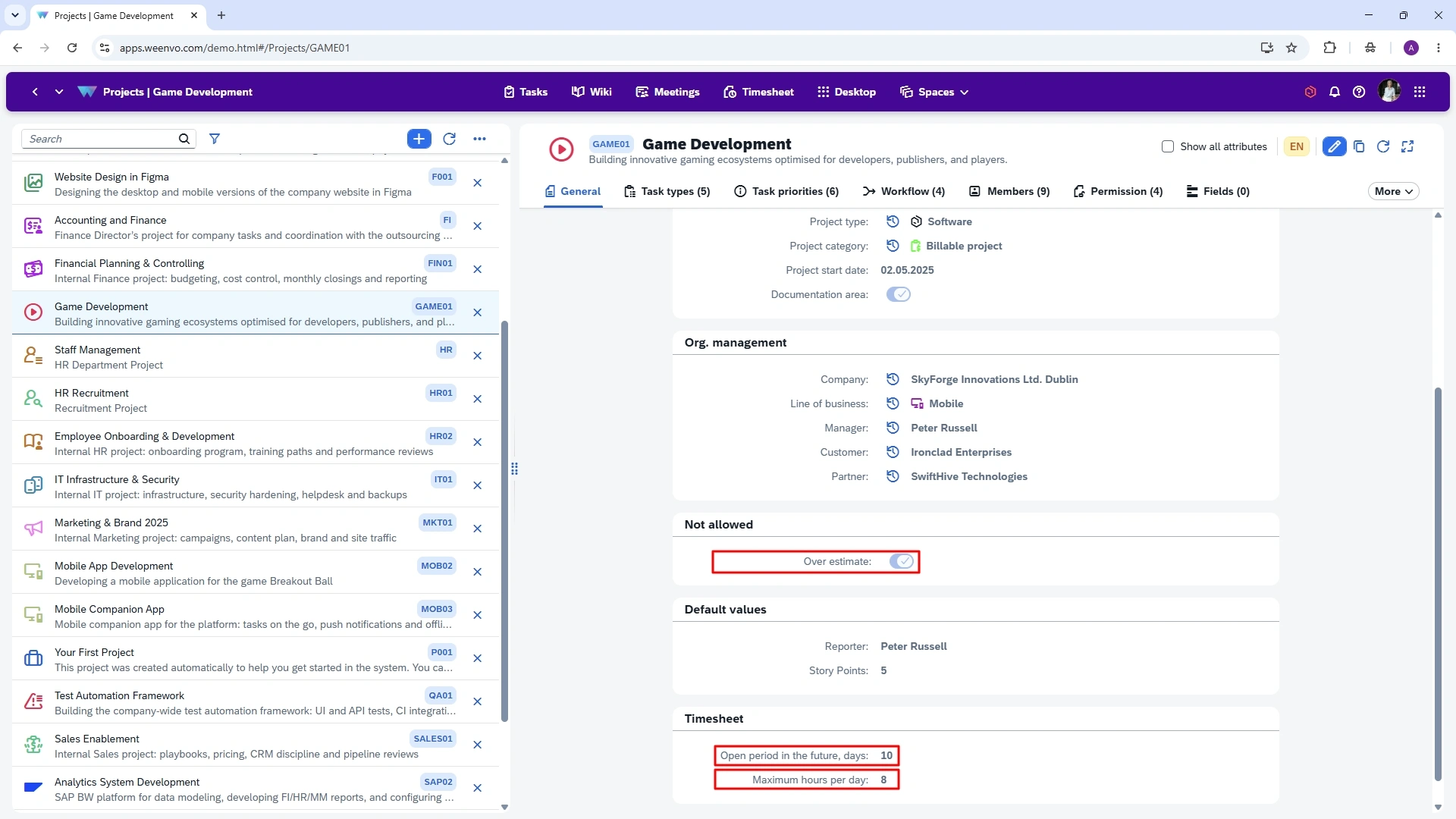
Under Time Tracking, project settings can define rules for logging time, including:
— how many days after a task is completed users can still record time spent on it;
— the maximum number of hours a user can enter in their timesheet for a project on a single day.
Under Not Allowed, managers can also prevent users from logging more time than the task’s planned estimate.
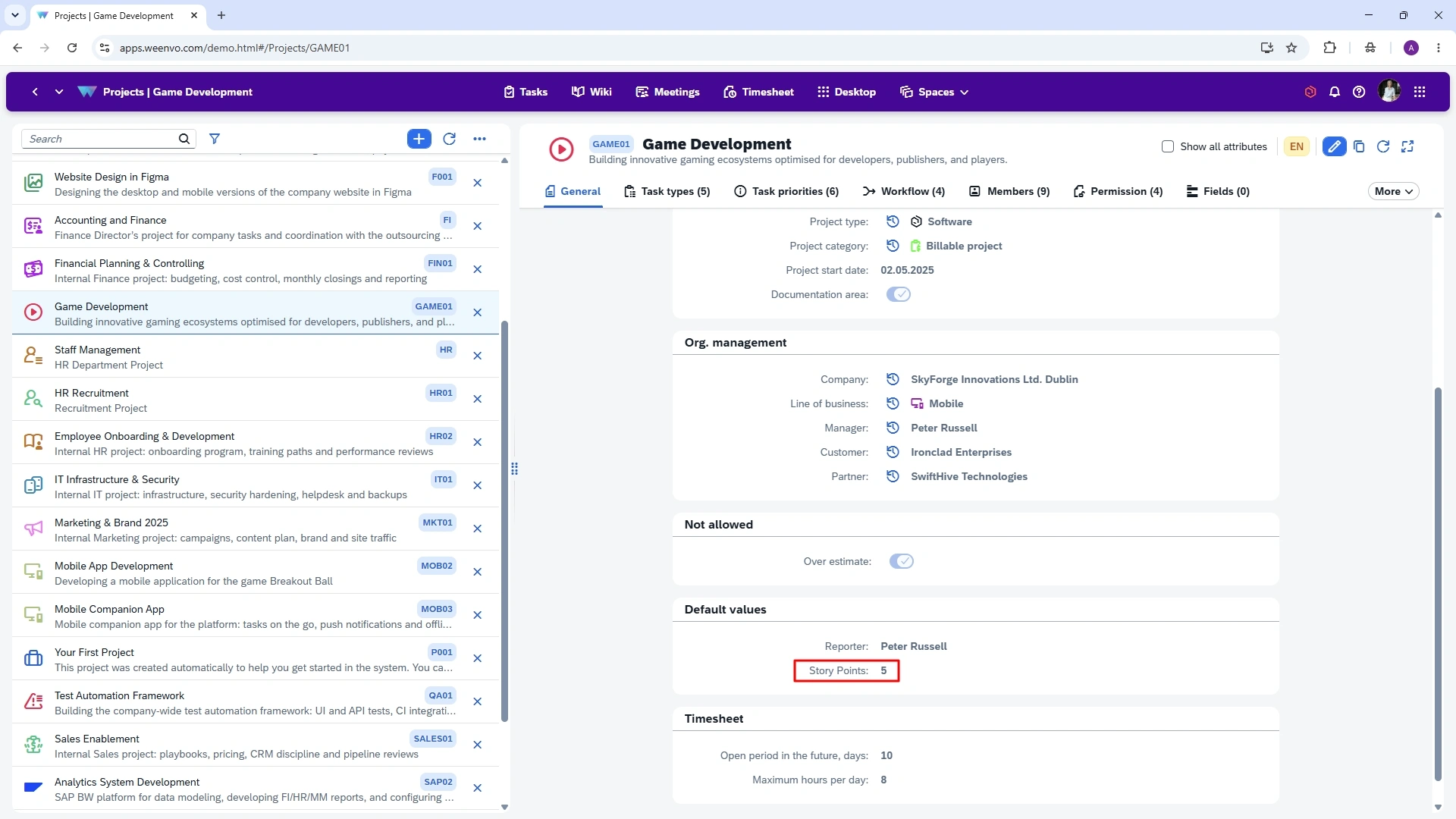
For task complexity estimation, Weenvo uses Story Points. A default value can be set in the project settings for new tasks and adjusted for individual tasks when needed.
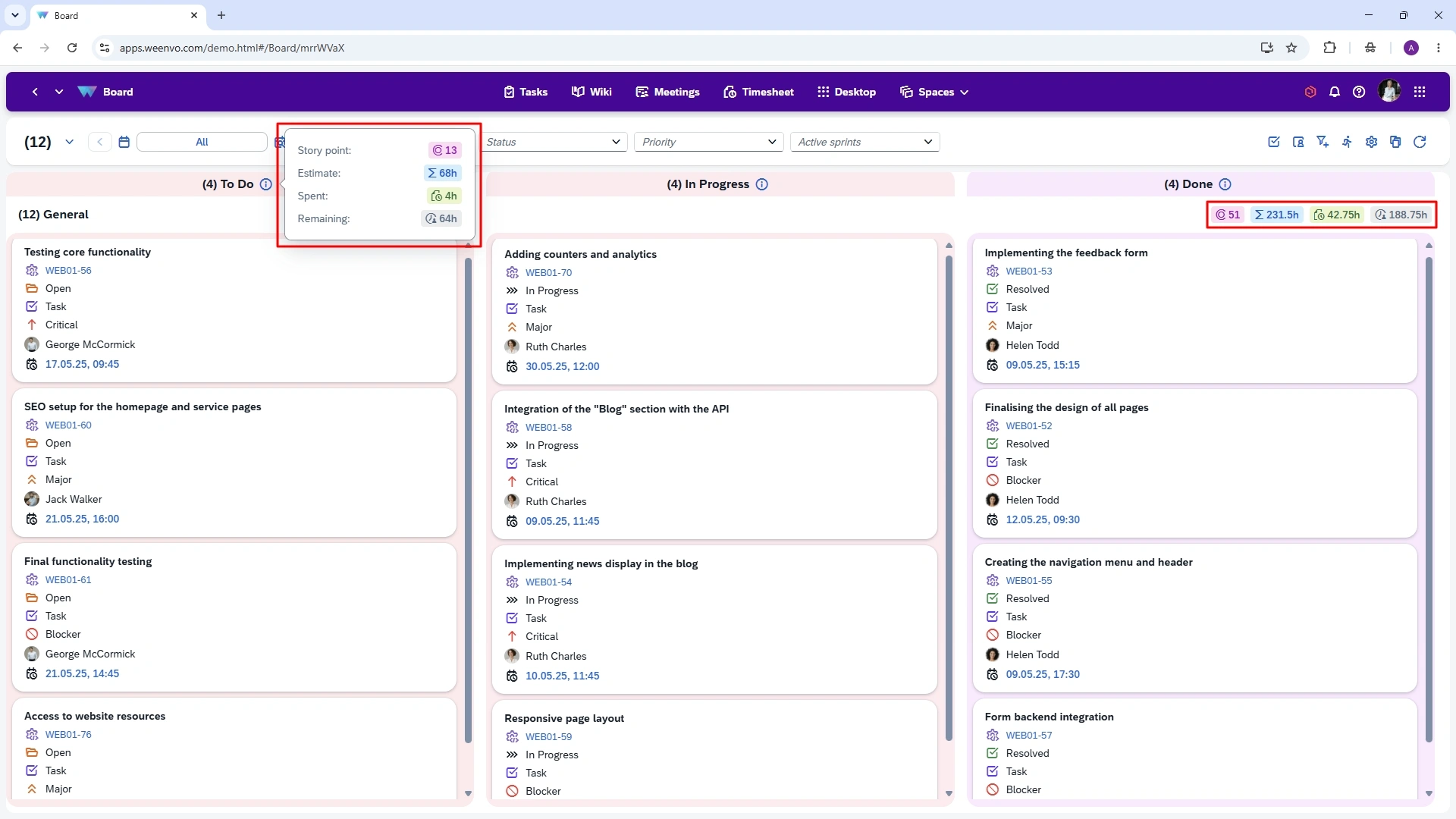
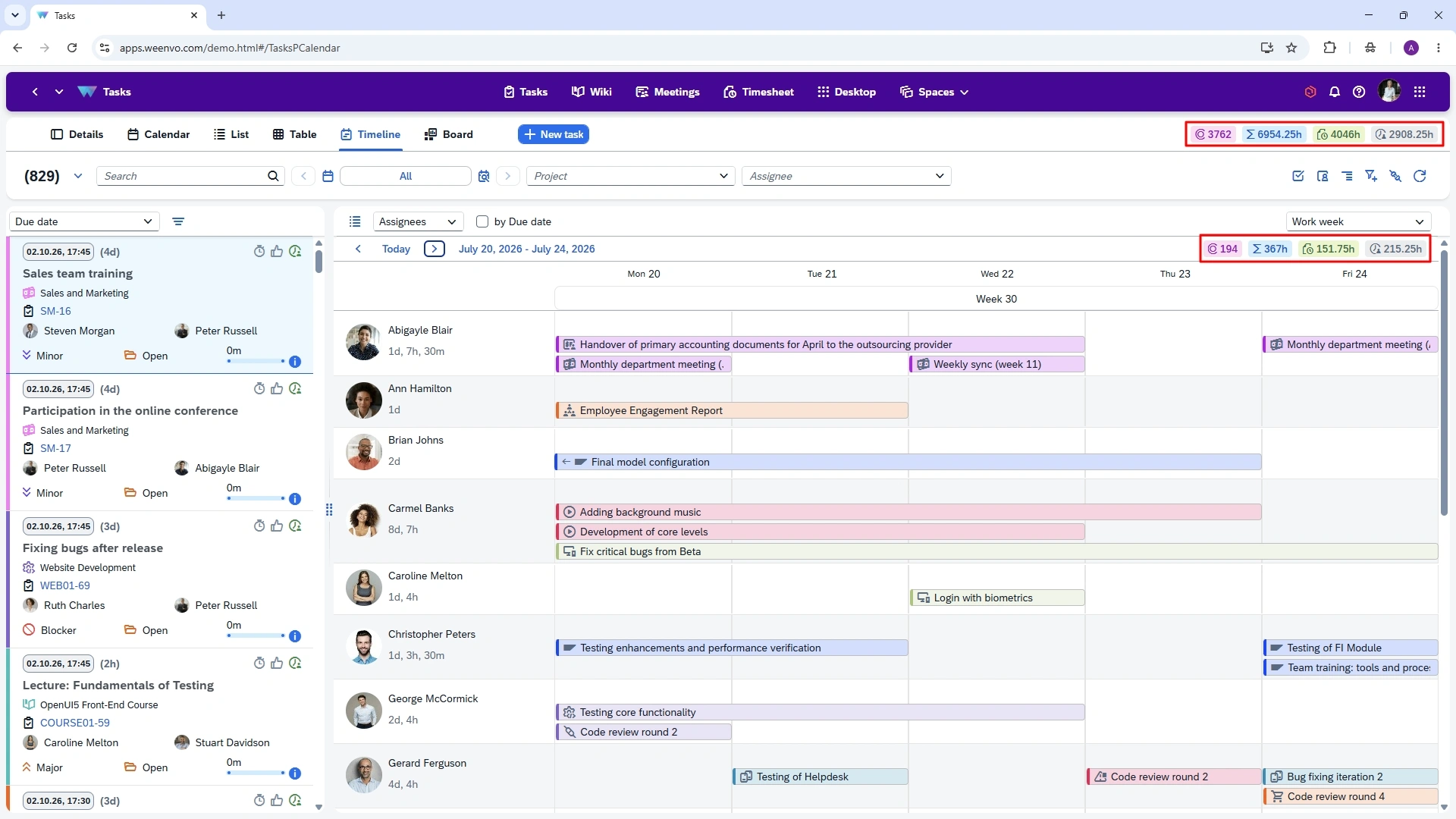
Weenvo uses four interconnected metrics to estimate and monitor project work:
Story Points — the relative complexity estimate for a task;
Estimate — the planned amount of effort;
Spent — the actual time recorded;
Remaining — the amount of work still left to complete.
Together, these metrics show the planned effort, actual time spent and remaining work for each task, while Story Points provide a relative measure of its complexity.
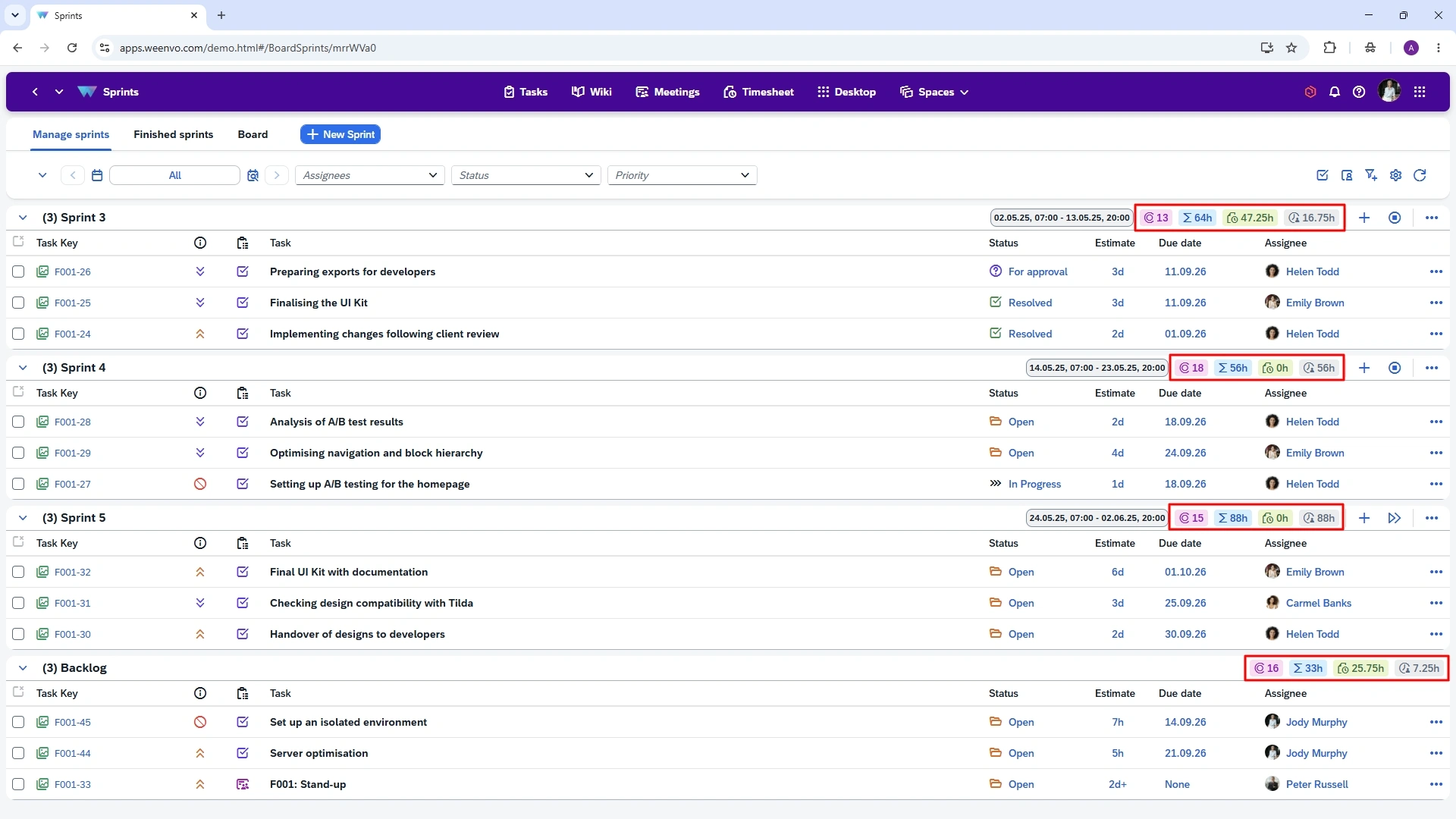
These metrics are available throughout the areas of the system where they are relevant, allowing teams to analyse project work in different views without losing access to key data. For example:
In Boards — by task groups and columns:
— In Sprints — for each sprint and the backlog:
— In all Tasks views: Details, Calendar, List, Table, Timeline and Board:
By combining Story Points, effort estimates, actual time tracking and project analytics, Weenvo helps teams do more than monitor work in progress. It also provides the data needed to improve future planning. Each completed project provides useful data for future planning and helps the team make better-informed decisions.
Try the Weenvo demo or start for free.